Your water has suddenly stopped.
You suspect the pump needs a reset, but there's no obvious button.
Flipping the breaker seems like a guess, and you fear making things worse.
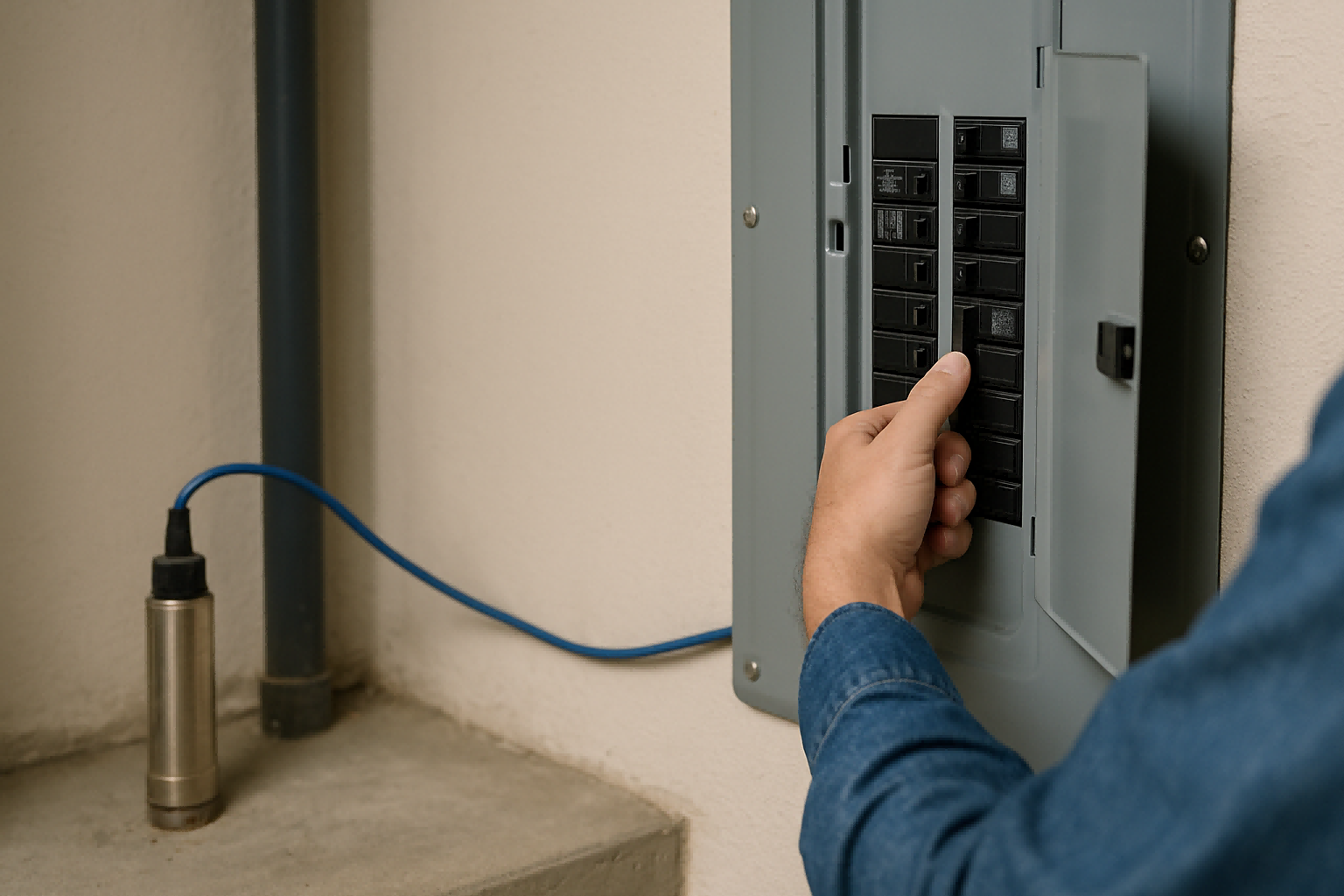
To reset a submersible pump, you typically cycle its power at the circuit breaker.
Turn the dedicated breaker off for 60 seconds, then turn it back on. For modern systems with controllers, the reset is often automatic after a fault condition is cleared.
When the water stops flowing, the immediate instinct is to find a reset button.
Many appliances have one, so it's a logical first thought.
However, submersible well pumps, located deep underground, are not designed with physical buttons you can press.
The concept of "resetting" the pump isn't about the pump motor itself, but about the electrical controls that manage it.
Understanding this distinction is the first step toward a safe and effective solution.
In most cases, the problem isn't that the pump is "stuck," but that a protective system has been triggered.
Before you touch any electrical components, it's crucial to understand what you're actually resetting and why the pump might have stopped in the first place.
This knowledge can prevent a simple issue from turning into a costly repair.
Understanding Why Your Pump Needs a Reset
Your pump stopped working for a reason.
You might just flip the breaker and hope it works.
But ignoring the root cause means the problem will likely happen again, potentially causing permanent damage.
A pump typically needs a reset because a protective feature in its controller was triggered.
This could be due to a power surge, low well water levels, or an overload. The "reset" is the system's way of attempting to resume normal operation after a fault.
A modern submersible pump system is far more than just a motor in a well.
It is an intelligent system designed to protect itself from a variety of damaging conditions.
When your pump shuts off unexpectedly, it is often not a sign of failure, but a sign that the system's safeguards are working correctly.
The shutdown is a symptom, not the disease.
Simply resetting the power without understanding the cause is like resetting a fire alarm without checking for a fire.
It might silence the noise temporarily, but the underlying danger remains.
The intelligent controller is the brain of your water system.
It constantly monitors electrical input and operational conditions.
When it detects a situation that could harm the pump motor, it cuts the power as a protective measure.
Learning to read the signs can tell you what kind of problem you are facing.
Common Triggers for a Pump Shutdown
The controller is programmed to watch for several key threats.
A shutdown is almost always linked to one of these monitored conditions.
- Dry Run Protection: This is the most common trigger. If the water level in the well drops below the pump's intake, the pump will start pulling in air. This causes it to spin too fast and overheat rapidly, which can destroy the motor in minutes. The controller senses this change in motor load and shuts the pump down. The system will often have an automatic timer to try restarting after a set period (e.g., 30 minutes), allowing the well to recover.
- Overload or Underload: If the pump has to work too hard (e.g., trying to push water against a blockage or a "dead head" condition), the electrical current draw will spike. The controller detects this overload and shuts off the power to prevent the motor windings from burning out. Conversely, an underload can indicate a broken pipe.
- Voltage Fluctuations: Unstable power from the grid or a generator can damage the sensitive electronics in both the controller and the motor. If the voltage drops too low (brownout) or spikes too high, the controller will disconnect the pump to protect it.
- High Motor Temperature: Some advanced systems have temperature sensors. If the motor temperature exceeds a safe threshold (typically around 120°C or 250°F), the system will shut down to cool off.
Decoding the Controller's Signals
Many modern controllers provide diagnostic feedback that helps you identify the problem without any guesswork.
Check the control box for any indicator lights or digital readouts.
| Controller Indication | Possible Cause | Recommended Action |
|---|---|---|
| Blinking "Dry" or "Low Level" Light | The well water level is too low. | Wait for the well to recharge. Consider lowering the pump if the problem persists. |
| Blinking "Overload" or "Jam" Light | Pump may be clogged with sand or debris. | Power cycle the pump. If it trips again immediately, the pump may need to be pulled for inspection. |
| No Lights, No Sound | No power is reaching the controller. | Check the circuit breaker and all wiring connections to the controller. |
| Pump Runs, but Breaker Trips | A serious electrical short. | Do NOT keep resetting. Call a professional electrician or well technician immediately. |
For an importer like Andrew, understanding these smart features is a huge selling point.
He can explain to his customers that these aren't nuisance trips; they are vital protective functions that significantly extend the life of the pump.
A system that can diagnose itself and protect itself from the most common failure modes is a far more valuable and reliable product.
The Safe Way to Reset Your Pump
You know where your breaker panel is.
You think you can just flip the switch on and off.
But doing it incorrectly or for the wrong reason can be ineffective and, in some cases, dangerous.
The safest way is a simple power cycle.
First, turn off faucets to reduce system load. Then, locate the dedicated well pump breaker, turn it off for a full minute, and then turn it back on. This allows the controller's electronics to fully reset.
The process of resetting your pump is straightforward, but following the correct procedure is essential for safety and effectiveness.
The goal is to give the pump's control system a clean reboot, allowing it to re-evaluate the conditions in the well and attempt a normal startup sequence.
Rushing the process or skipping steps can lead to the reset being unsuccessful or, in the case of a serious electrical fault, could pose a risk.
The sixty-second "off" period is particularly important.
This is not an arbitrary number.
It gives the capacitors and microprocessors within the pump controller time to fully discharge and clear any fault codes stored in their memory.
Flipping the breaker off and on again too quickly may not allow for a complete reset of the electronics, and the system may remain in its protective shutdown state.
This simple procedure is the first-line solution for over 90% of non-mechanical pump stoppages.
Step-by-Step Reset Procedure
For a clear and safe reset, follow these steps precisely.
Do not proceed if you are unsure about identifying the correct breaker or if you see any signs of electrical damage, such as scorch marks or a burning smell.
- Reduce System Pressure: Go inside your house and open a cold water faucet. This relieves the pressure in your pipes and pressure tank, ensuring the pump does not have to start against a high-pressure load, which requires more energy.
- Locate the Circuit Breaker: Find your home's main electrical panel. The breaker for the submersible pump should be clearly labeled (e.g., "Well Pump," "Pump," or similar). It is often a double-pole breaker, which is twice as wide as a standard single breaker.
- Turn the Breaker OFF: Firmly switch the breaker to the full "OFF" position. You should hear or feel a distinct click.
- Wait for 60 Seconds: This is the crucial step for the electronic reset. Do not shorten this time.
- Turn the Breaker ON: Switch the breaker back to the "ON" position.
- Listen and Observe: You should hear the pump kick on within a few seconds. Go back to the open faucet and check if water has begun to flow. It may sputter at first as air is purged from the line.
- Close the Faucet: Once you have a steady stream of water, close the faucet. You should hear the pump continue to run for a short time to fill the pressure tank, and then shut off.
When a Reset Doesn't Work
If you perform the reset and the pump still doesn't start, or if it runs for a few seconds and the breaker trips again, do not repeat the process. A repeating trip indicates a more serious problem.
| Symptom after Reset | Likely Problem | Next Step |
|---|---|---|
| Breaker trips instantly | Severe electrical short in the wiring or motor. | LEAVE THE BREAKER OFF. Call a qualified electrician or well professional. |
| Pump hums but doesn't run | The pump is seized or the starting capacitor has failed. | This requires professional service. The pump may need to be pulled. |
| Nothing happens at all | Controller failure, broken wire, or no power to the panel. | Check for power elsewhere in the house. If power is on, the issue is with the well circuit. |
For Andrew's customers in Australia, where remote properties are common, having a clear, safe, and logical troubleshooting process is vital.
Providing this information establishes trust and positions his brand as a helpful authority, not just a seller of equipment.
The Role of the Automatic Reset Controller
You worry about your pump running dry while you're away.
You imagine having to manually reset it constantly during a drought.
This manual intervention is inconvenient and allows for human error, risking pump damage.
Modern pump systems feature intelligent controllers that reset automatically.
After a fault like a dry run, the controller waits a preset time (e.g., 30 mins) for conditions to improve, then attempts to restart on its own, eliminating the need for manual intervention.
The biggest advancement in pump usability and protection is the move away from manual resets toward automated, intelligent recovery.
This is particularly critical for solar-powered pump systems, which are often installed in remote, off-grid locations where a technician visit is difficult and expensive.
The goal of modern system design is to create a self-sufficient and self-protecting water supply that requires minimal human oversight.
The "brain" of this system is the Maximum Power Point Tracking (MPPT) controller.
While its primary job is to optimize the power drawn from the solar panels, its secondary role as a system guardian is just as important.
This controller doesn't just react to problems; it anticipates them and executes a logical recovery plan.
It turns the pump from a simple machine into a smart appliance.
How Automatic Recovery Works
An intelligent controller follows a pre-programmed logic sequence when it detects a fault.
The most common sequence is for dry-run protection.
- Fault Detection: The controller continuously monitors the motor's power consumption and RPM. When the pump sucks air, the load on the motor drops dramatically, and the RPMs spike. The controller instantly recognizes this signature as a dry-run event.
- Protective Shutdown: The controller immediately cuts power to the pump motor to prevent overheating and mechanical damage. It logs this event internally.
- Recovery Timer: Instead of staying off indefinitely, the controller starts a "well recovery" timer. This is typically set at the factory for 30 minutes but can often be adjusted by the installer. This waiting period allows time for the well's aquifer to seep back in and raise the water level above the pump intake.
- Attempted Restart: Once the timer expires, the controller performs a "soft start," gently reapplying power to the pump. It then monitors the motor's load for the first few seconds of operation.
- Status Confirmation: If the controller detects a proper electrical load (meaning the pump is moving water), it returns to normal operation. If it detects a dry run again, it will shut down and may start a longer recovery timer or, after several failed attempts, enter a hard lockout to prevent damage, requiring a manual power cycle reset.
The AC/DC Hybrid Advantage
For ultimate reliability, some systems offer an AC/DC hybrid controller.
This technology provides an automatic reset not just from faults, but from a lack of solar power.
| Power Source | Controller Action | User Benefit |
|---|---|---|
| Sufficient Sunlight (DC) | Runs pump at full capacity using 100% solar power. | Zero energy cost, environmentally friendly operation. |
| Low Sunlight (Hybrid) | Blends available solar (DC) with grid/generator (AC) power. | Maximizes the use of free solar energy, only supplementing with AC power as needed, reducing costs. |
| No Sunlight (Night/Cloudy) | Automatically switches over to full AC power. | Guarantees a 24/7 water supply regardless of weather or time of day, with no manual switching required. |
This hybrid functionality is the pinnacle of automated water reliability.
For Andrew's customers, such as ranchers in the Australian outback, this means their livestock never go without water.
The system intelligently manages its power sources without anyone needing to be there.
This level of automation and reliability is a core competitive advantage when selling high-quality water pump systems.
Conclusion
Resetting a pump is about cycling power to the controller.
Modern systems often reset automatically, protecting the motor and ensuring a reliable, worry-free water supply.
Frequently Asked Questions
Why do I have to keep resetting my well pump?
If you must reset your pump frequently, it indicates a recurring problem like a low-yielding well, a faulty pressure switch, or a leak in your plumbing system.
How do you reset the pressure switch on a well pump?
To reset a pressure switch, first, turn off the power. Then, check if the contact points are stuck open or closed. Some have a small lever you can lift to manually close the contacts.
Can a submersible pump overheat?
Yes, a submersible pump can overheat and burn out if it runs dry (out of the water) or if it runs continuously against a closed valve (dead-heading).
Is there a reset button on a well pressure tank?
No, the pressure tank itself has no electrical components or reset buttons. Any reset function is related to the pump's electrical controls, like the pressure switch or control box.
What happens if a well pump runs without water?
Running without water, known as running dry, will cause the pump to overheat very quickly. This can melt internal components and destroy the motor, often within just a few minutes.
How do I know if my well pump pressure switch is bad?
Signs of a bad pressure switch include the pump not turning on, the pump not turning off, or the pump cycling rapidly (short-cycling) even with minimal water use.
Why did my well pump suddenly stop working?
A pump can stop suddenly due to a tripped circuit breaker, a faulty pressure switch, a triggered low-water cutoff sensor, or internal motor failure.
Do I need to prime a submersible well pump?
No, submersible pumps are submerged in water and do not require priming. Once installed and turned on, they are immediately ready to pump water.